TinyDrums
A downloadable tool for Windows
Need a metronome to practise against, that's always available? This application is a drum machine and metronome that lives in the system tray. It comes with over seventy ready-made patterns to play along to, and a designer for writing your own.
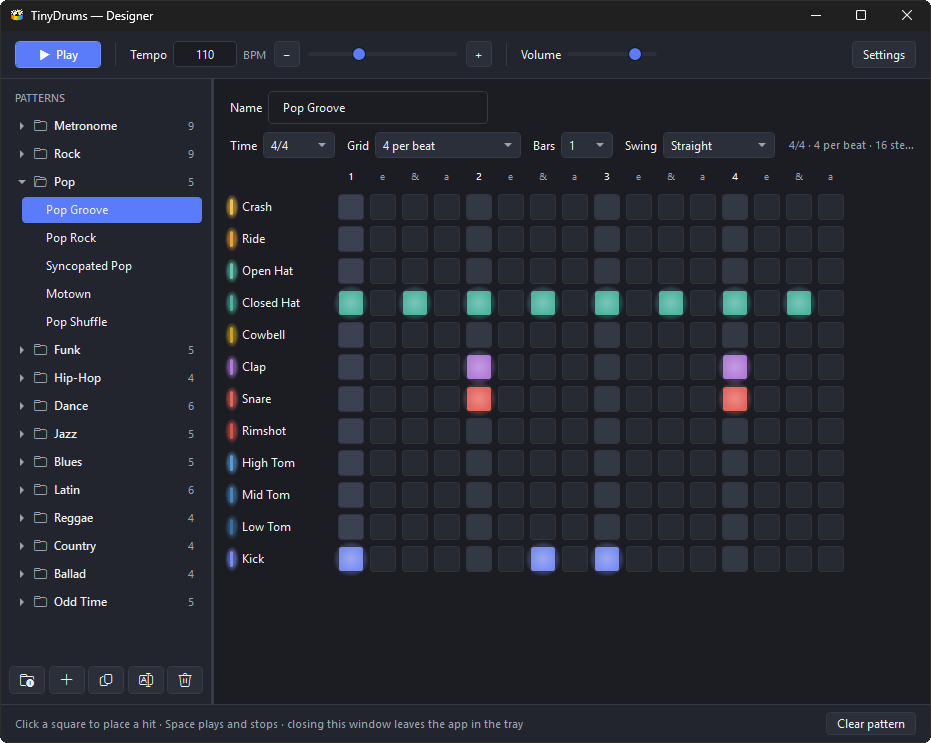
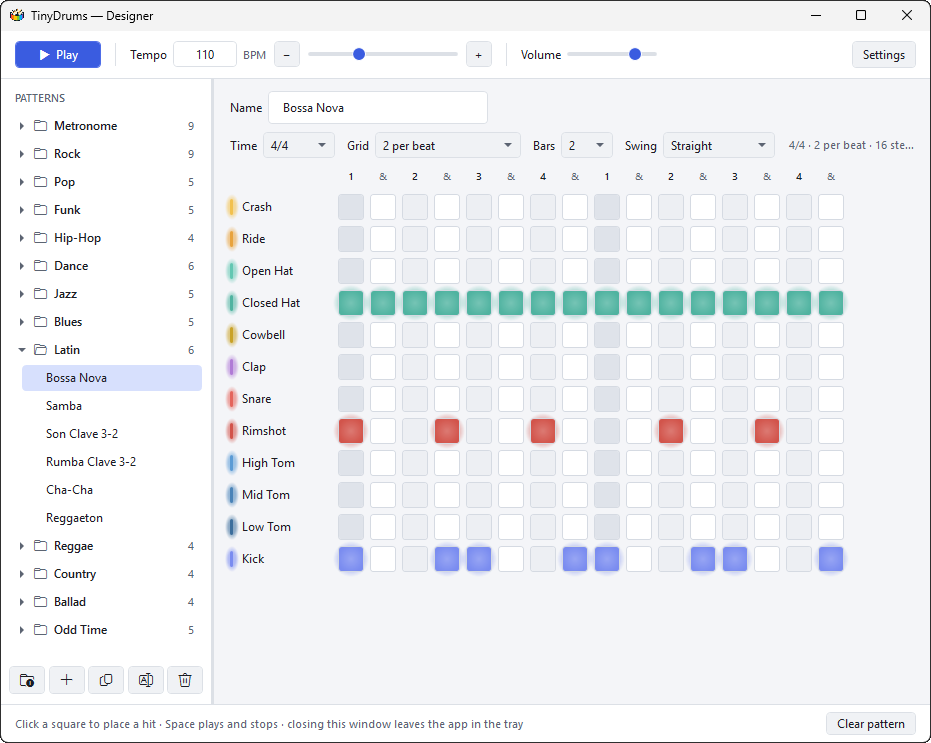
The designer is a pattern library on the left and a step grid on the right: one row per drum voice, one column per interval. Click a square to place or remove a hit, and it auditions the sound as you do, so you are hearing the kit rather than guessing at it. Beats and bar lines are shaded to keep the pulse readable at rest, and while a pattern plays the highlight follows what is actually audible — the engine subtracts the sound driver's own buffer depth — rather than what was most recently handed to the card.
The built-ins are sorted into folders by style — Metronome, Rock, Pop, Funk, Hip-Hop, Dance, Jazz, Blues, Latin, Reggae, Country, Ballad and Odd Time — so there are plain clicks in everything from 2/4 to 7/8, and grooves from boom bap and bossa nova to a Texas shuffle, a one drop and a 7/4 rock beat. Your own patterns live in the same library: add folders of your own, drag patterns to put them in the order you practise them, or drag them from one folder to another.
Start from one of the built-ins and copy it, or add an empty pattern and fill it in. Time signatures run from 2/4 to 12/8, each divisible into 1, 2, 3, 4 or 6 columns per beat, across up to 8 bars. Swing is set per pattern, from straight up to a hard 75%: the grid keeps its shape and the bar keeps its length, and only the timing within each pair of steps moves, which is how a straight-looking pattern comes out with a lilt.
None of that needs a window open. A single click on the tray icon brings up a small flyout with folder and pattern pickers, play and stop, and a tempo slider, then dismisses itself when it loses focus; a double click opens the designer proper. The icon carries a green play triangle while the sequencer is running, and its tooltip names the current pattern and tempo. It can also start itself when you sign in to Windows — one setting, no shortcuts to make — and when it does it comes up as a tray icon and nothing else, ready the moment you pick up the sticks. Started with --tray by hand, it does the same.
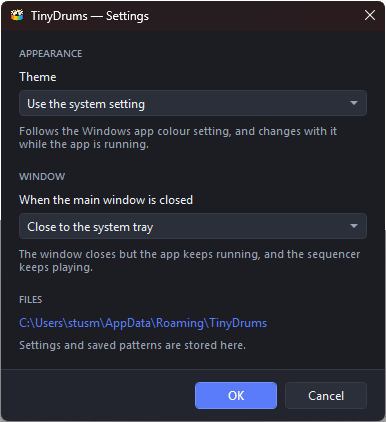
The app follows the Windows light or dark setting and keeps following it while it runs, or you can pin it to one or the other. Patterns are saved a second or so after the last edit — as readable JSON, grids written out as rows of x and -, so a pattern is something you can open in an editor, change by hand, or send to someone.
Purchase
In order to download this tool you must purchase it at or above the minimum price of $2 USD. You will get access to the following files:
Development log
- v0.2.0 - More patterns, better organization11 days ago
Leave a comment
Log in with itch.io to leave a comment.